Today, let’s talk about how to interface the EG edge gateway with Panasonic PLCs via the Mewtocol TCP Protocol.
El artículo del que hablamos antes:
Cómo integrar la pasarela EG edge computing con General Electric PLC
Cómo integrarse con el PLC Xinjie mediante el protocolo Modbus RTU
Cómo interactuar con los PLC de la serie KV-8000 de Keyence mediante el protocolo MC-3E
Cómo interactuar con los PLC de la serie KV-7500 de Keyence mediante el protocolo KV TCP
Compatible PLCs: Panasonic FP0H / Panasonic XHC60ET
1. Conexión de hardware
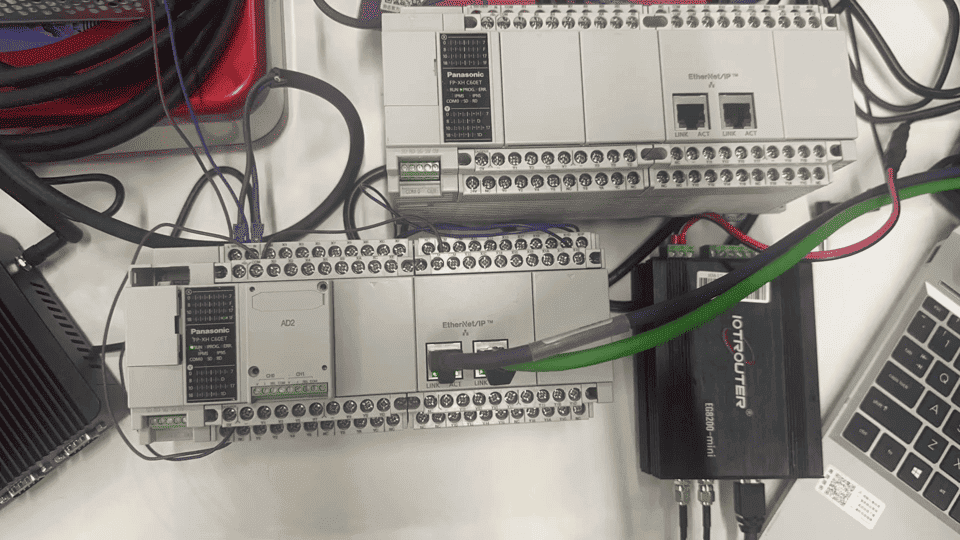
Mewtocol TCP protocol communicates via Ethernet. Therefore, simply ensure the gateway’s LAN port and the Panasonic PLC’s IP address are within the same subnet.
2. Parámetros de comunicación PLC
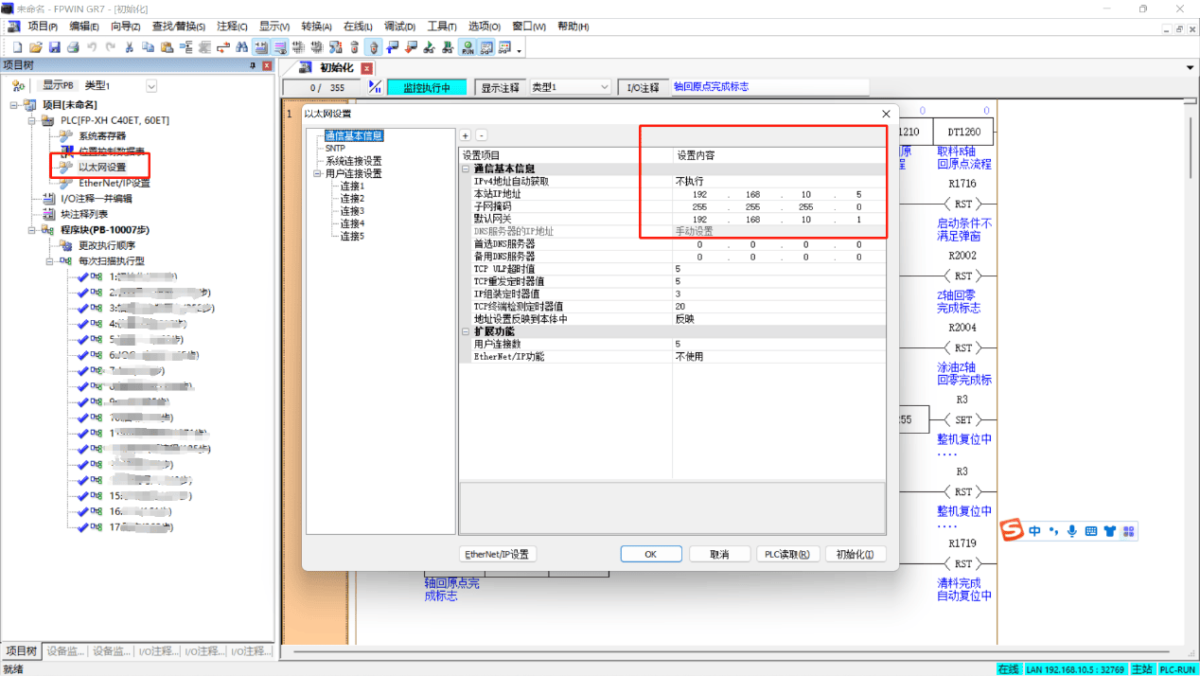
2.1. Ethernet Parameter Settings
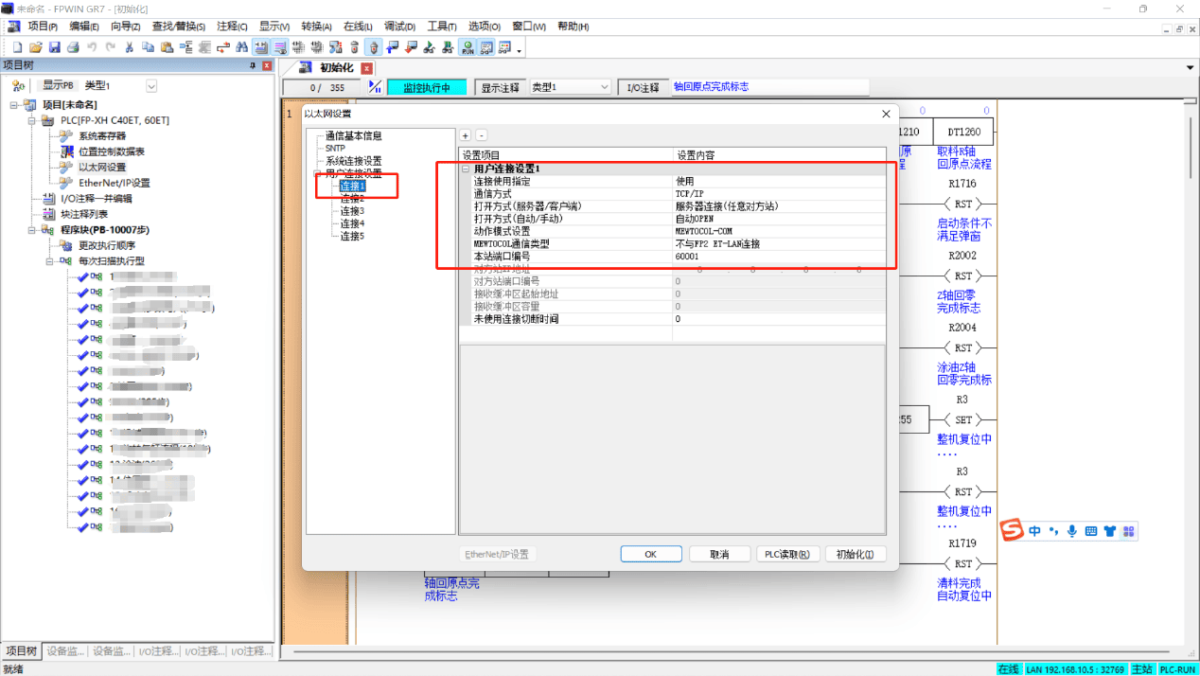
2.2. User Connection Port Settings
3. Configuración de la puerta de enlace
3.1. Configuración de la conexión del PLC
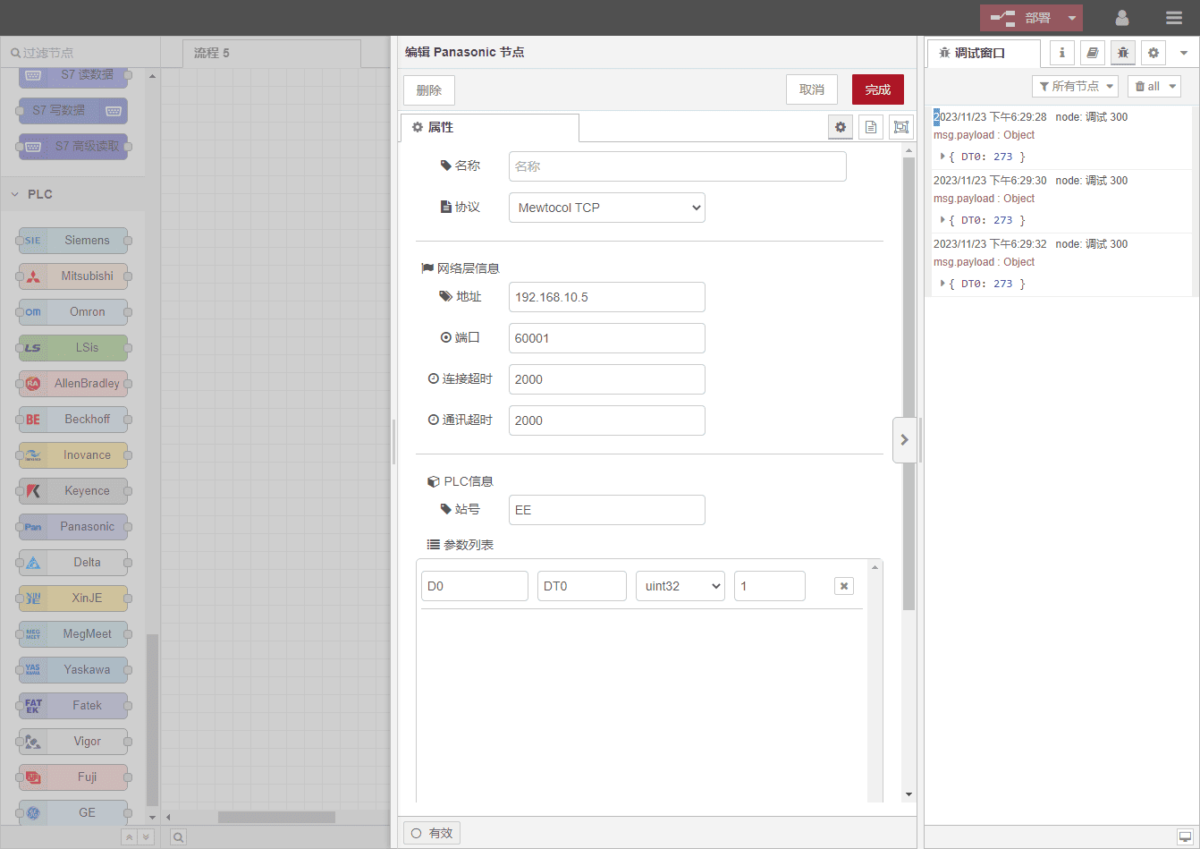
Drag a Panasonic node from the left panel and double-click to open its settings page. Configure the following based on the PLC’s serial port parameters:
Protocolo: Select Mewtocol TCP
Dirección: Enter the PLC address (e.g., 192.168.10.5)
Puerto: Enter the PLC connection port (e.g., 60001)
Tiempo de espera de la conexión: 2000
Tiempo de espera de comunicación: 2000
Identificación de la estación: EE
3.2. Configuración de los puntos de datos
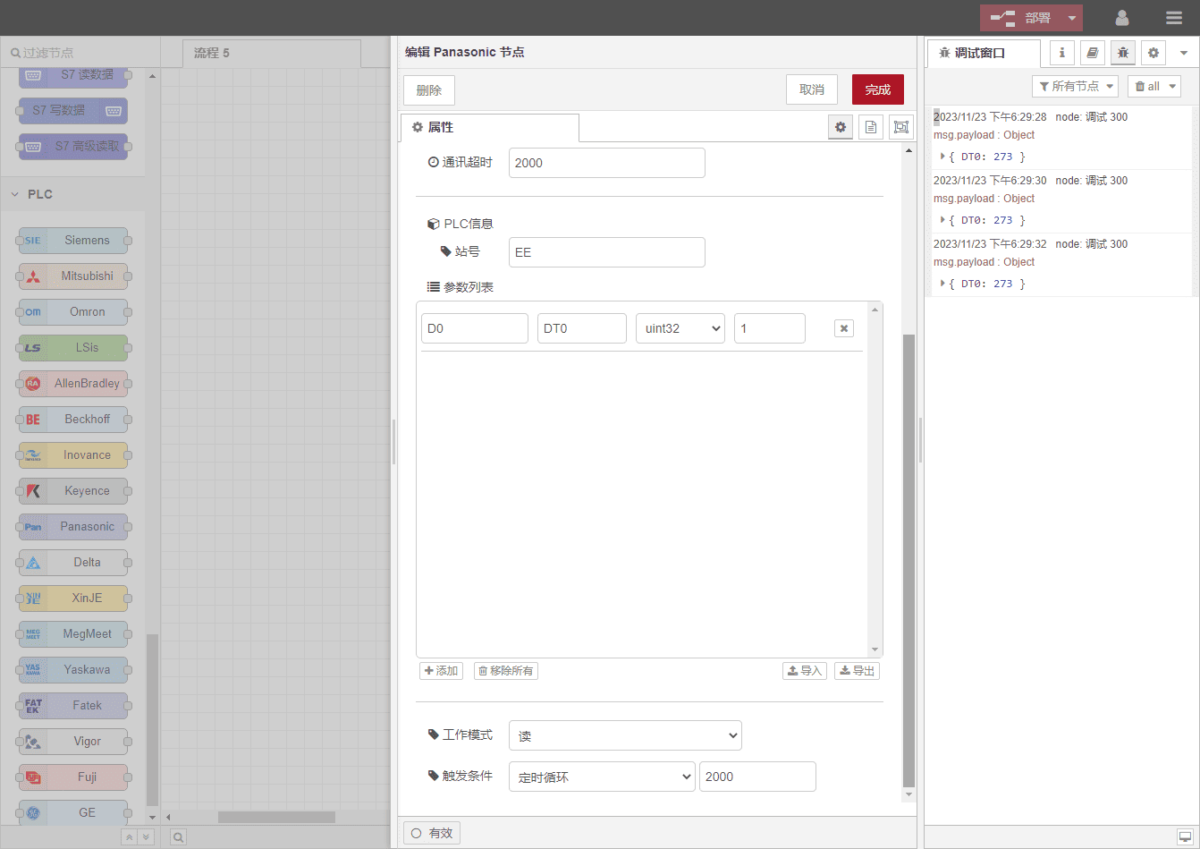
Enter the data points to be read into the parameter list of the Panasonic node. Once configured, the PLC data will be automatically retrieved at the specified frequency.
Los puntos de datos suelen proporcionarlos los ingenieros de PLC. Una vez recibida la lista de puntos, rellene los puntos de datos de acuerdo con el formato requerido por la pasarela. Para obtener correspondencia específica, consulte:
This is a Yuque content card. Click the link to view:(Puedes utilizar Google Chrome para la traducción) https://iotrouter.yuque.com/zn3vdn/eg8000/frhrwhgsa8o2xpof
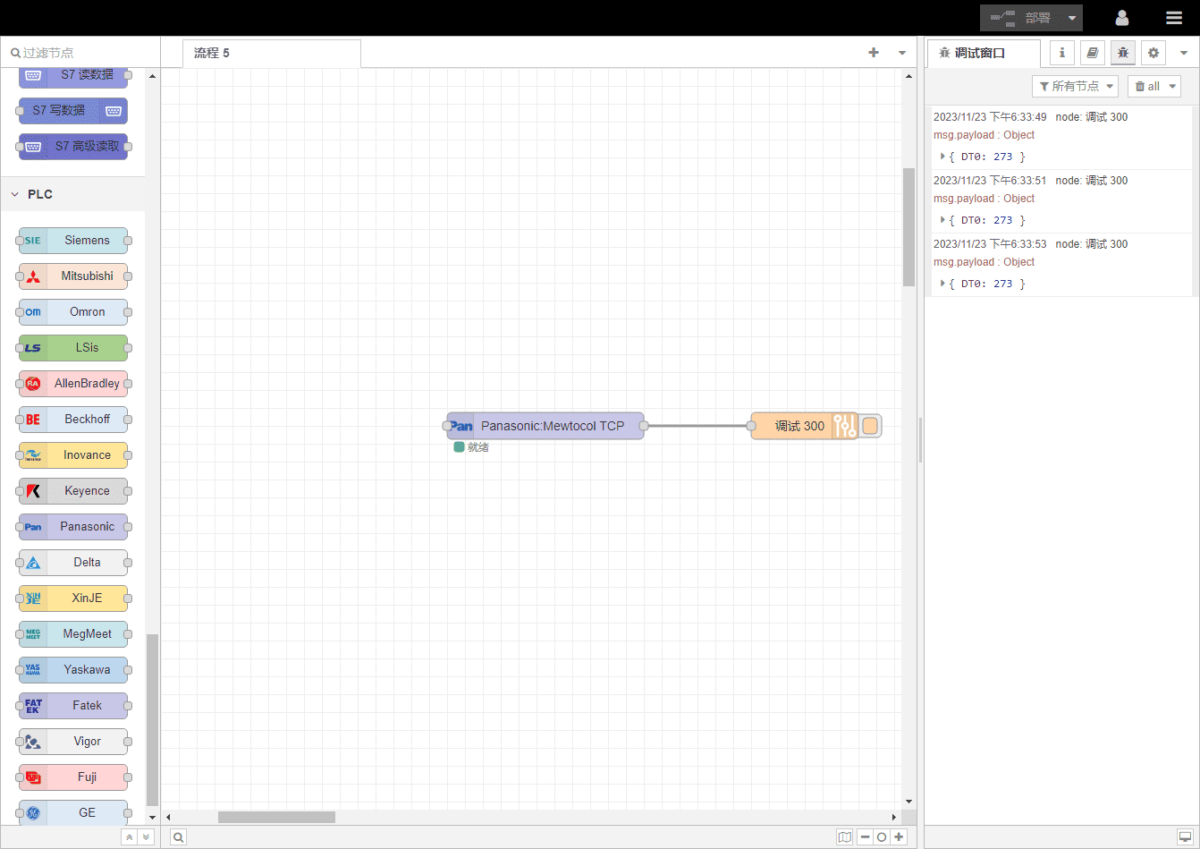
This example reads data from address DT0. Using FPWIN GR7 software, you can see that DT0 stores a signed 32-bit integer: 273. In the parameter list, fill in the address/name/data type/data length sequentially. Set a 2-second cycle for periodic reading, as shown in the figure:
3.3. Pruebas
Click Deploy and observe that a data point is printed every 2 seconds. The read data point result is: DT0:273. Communication successful!