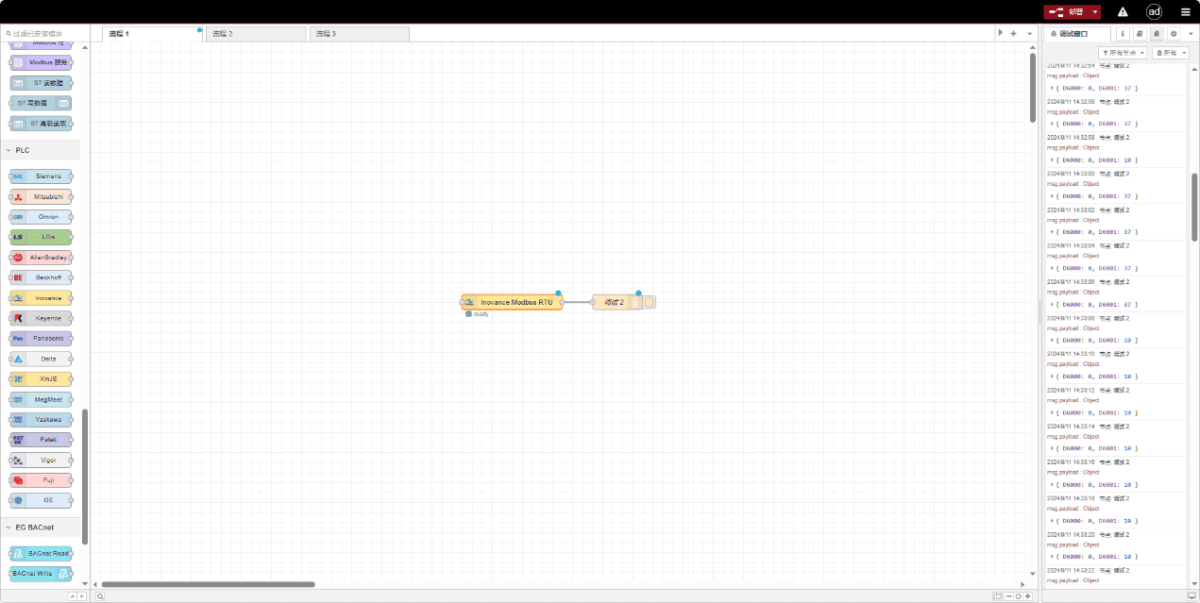
Today, let’s talk about how to interface the EG edge gateway with Inovance PLCs via the Modbus RTU Protocol.
Статья, о которой мы говорили ранее:
Как интегрировать шлюз пограничных вычислений EG с General Electric PLC
Как интегрироваться с ПЛК Xinjie по протоколу Modbus RTU
Как взаимодействовать с ПЛК Keyence серии KV-8000 по протоколу MC-3E
Как взаимодействовать с ПЛК Keyence серии KV-7500 по протоколу KV TCP
Как взаимодействовать с ПЛК Panasonic через протокол Mewtocol TCP
1. Подключение оборудования
Compatible PLC: Inovance H3U
The Modbus RTU protocol uses serial communication. This example PLC model employs RS232 communication.
2. Параметры связи с ПЛК
2.1. Serial Port Parameter Settings
Предоставляется инженером ПЛК.
The serial port parameters for this Inovance PLC are:
Скорость передачи данных: 57600
Биты данных: 8
Стоп-биты: 1
Parity Bit: NONE
3. Конфигурация шлюза
3.1. PLC Connection Setup
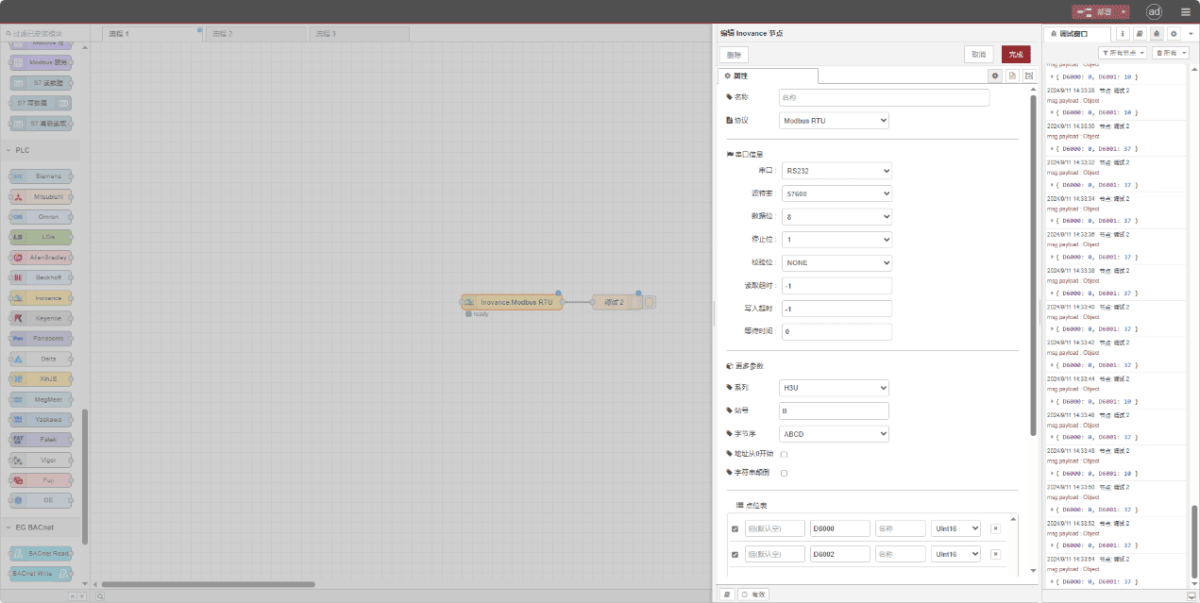
Drag an Inovance node from the left pane. Double-click to open the settings page and configure as follows based on the PLC’s serial parameters:
Протокол: Select Modbus RTU
Последовательный порт: RS232
Скорость передачи данных: 57600
Биты данных: 8
Стоп-биты: 1
Паритет: Нет
Timeout: -1
Series: H3U
Station ID: 0x0B
Format: ABCD
3.2. Конфигурация точки данных
Enter the data points to be read into the parameter list of the Inovance node. Once configured, the node will automatically read data from the PLC at the specified frequency.
Data points are typically provided by PLC engineers. After obtaining the point list, fill in the data points according to the gateway’s required format. For specific mapping details, refer to:
This section contains a Yueque content card. Click the link to view:(Вы можете использовать Google Chrome для перевода). https://iotrouter.yuque.com/zn3vdn/eg8000/dqdvyosc5vubd2rv
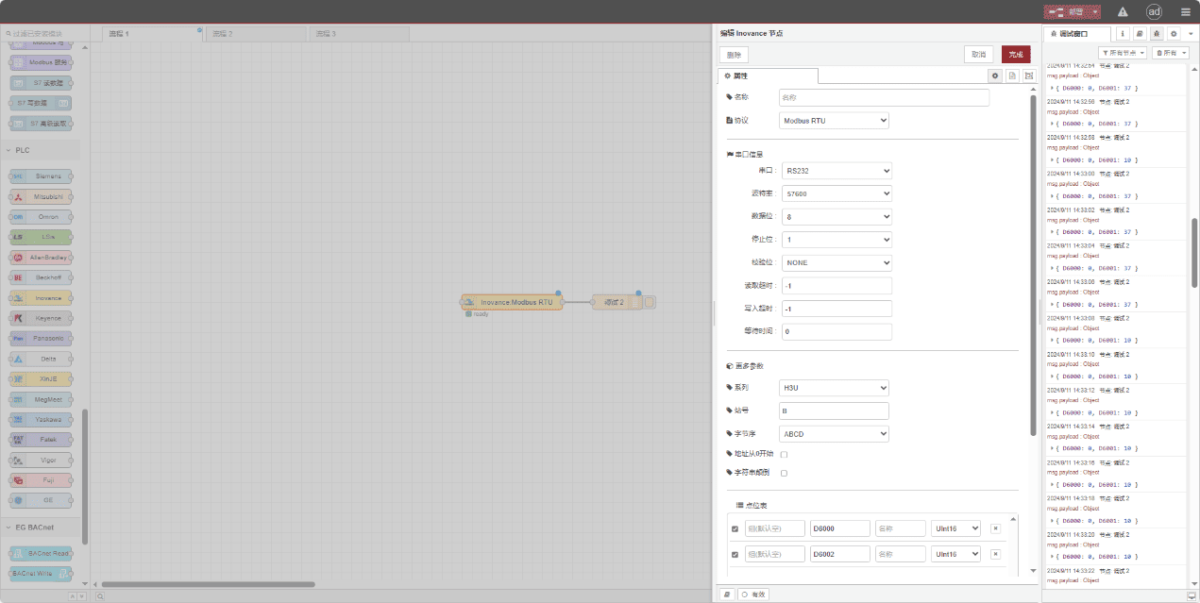
This example reads data from addresses D6000 and D6002. In the parameter list, enter the address/name/data type in sequence. The data is read cyclically every 2 seconds, as shown in the figure:
3.3. Тестирование
Click Deploy and observe that data is printed every 2 seconds. The read data point results are: D6000:0 D6002:0. Communication successful!