Today, let’s talk about how to interface the EG edge gateway with AB PLC via PCCC protocol.
Статья, о которой мы говорили ранее:
Как интегрировать шлюз пограничных вычислений EG с General Electric PLC
Как интегрироваться с ПЛК Xinjie по протоколу Modbus RTU
Как взаимодействовать с ПЛК Keyence серии KV-8000 по протоколу MC-3E
Как взаимодействовать с ПЛК Keyence серии KV-7500 по протоколу KV TCP
Как взаимодействовать с ПЛК Panasonic через протокол Mewtocol TCP
Как взаимодействовать с ПЛК Inovance по протоколу Modbus RTU
1. Подключение оборудования
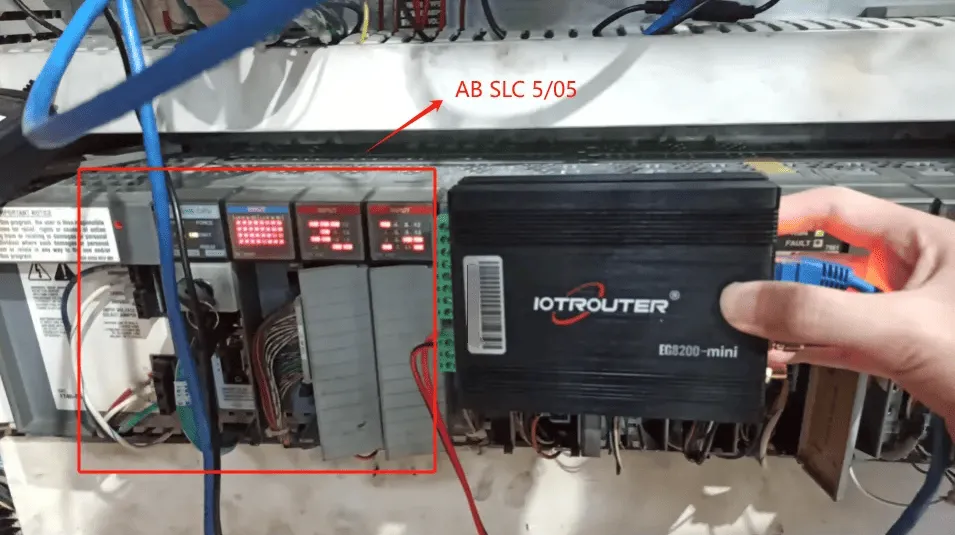
Compatible PLC: AB SLC 5/05
The PCCC protocol utilizes Ethernet communication. Therefore, simply ensure the gateway’s LAN port and the AB PLC’s IP address are within the same subnet.
2. Параметры связи с ПЛК
2.1. Настройки параметров Ethernet
Предоставлено инженером ПЛК
3. Настройки шлюза
3.1. Настройки подключения ПЛК
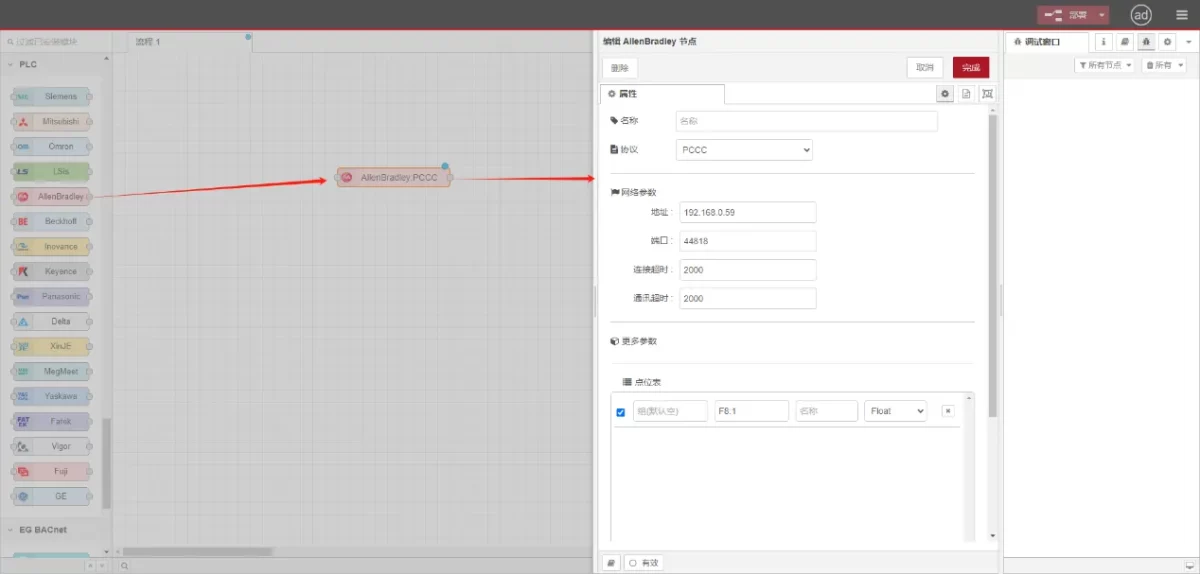
Перетащите узел AllenBradley с левой панели, дважды щелкните, чтобы открыть страницу настроек, и выполните следующие настройки в соответствии с параметрами сетевого порта ПЛК:
Протокол: Select PCCC
Адрес: Введите адрес ПЛК (например, 192.168.0.59).
Порт: Введите порт подключения ПЛК (например, 44818).
Таймаут соединения: 2000
Таймаут связи: 2000
3.2. Конфигурация точки данных
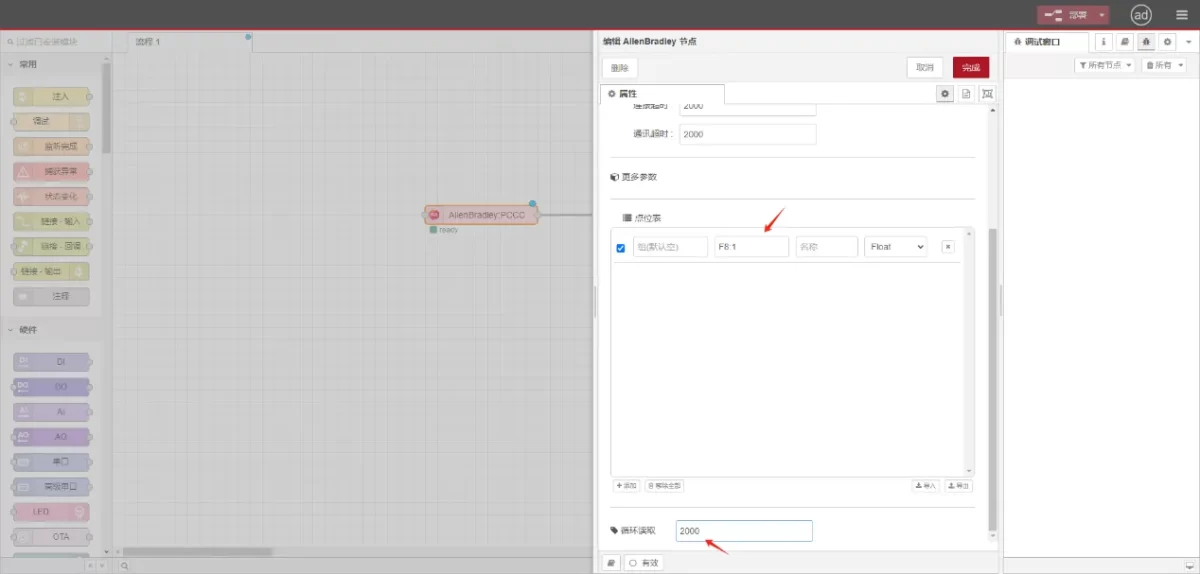
Введите точки данных, которые необходимо считать, в список параметров узла Allen-Bradley. После настройки данные ПЛК будут автоматически считываться с заданной частотой.
Точки данных обычно предоставляются инженерами ПЛК. Получив список точек, заполните их в соответствии с требуемым форматом шлюза. Для получения подробной информации об отображении см:
В этом разделе содержится контент от Yueque. Нажмите на ссылку для просмотра:(Вы можете использовать Google Chrome для перевода). https://iotrouter.yuque.com/zn3vdn/eg8000/tcxbmwqbg7k7f5ah
This example reads data from address F8:1. In the parameter list, enter the address/name/data type/data length sequentially. The data is read cyclically every 2 seconds, as shown in the figure:
3.3. Тестирование
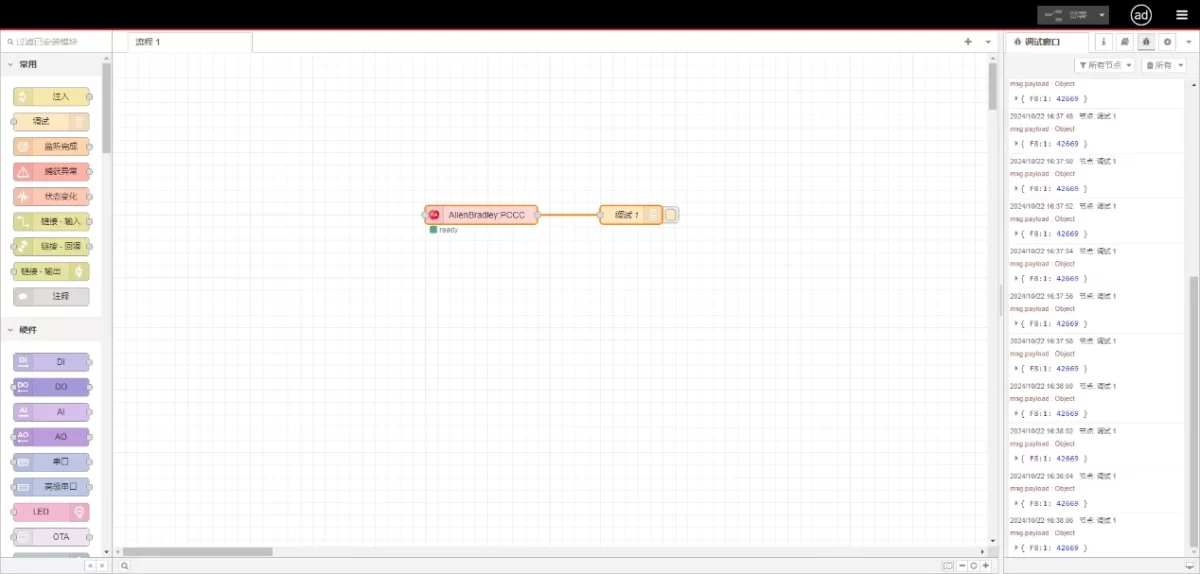
Connect to the debugging node, click Deploy, and observe that a data point is printed every 2 seconds. The read data point result is:
{F8:1:42669}. Communication successful!