Today, let’s talk about how to interface the EG edge gateway with AB PLC via PCCC protocol.
O artigo que discutimos anteriormente:
Como integrar a gateway de computação periférica EG com a General Electric PLC
Como fazer a integração com o PLC Xinjie através do protocolo Modbus RTU
Como fazer a interface com os PLCs da série Keyence KV-8000 através do protocolo MC-3E
Como fazer a interface com os PLCs da série KV-7500 da Keyence através do protocolo KV TCP
Como fazer a interface com os PLCs da Panasonic através do protocolo TCP
How to interface with Inovance PLC via Modbus RTU protocol
1. Ligação do hardware
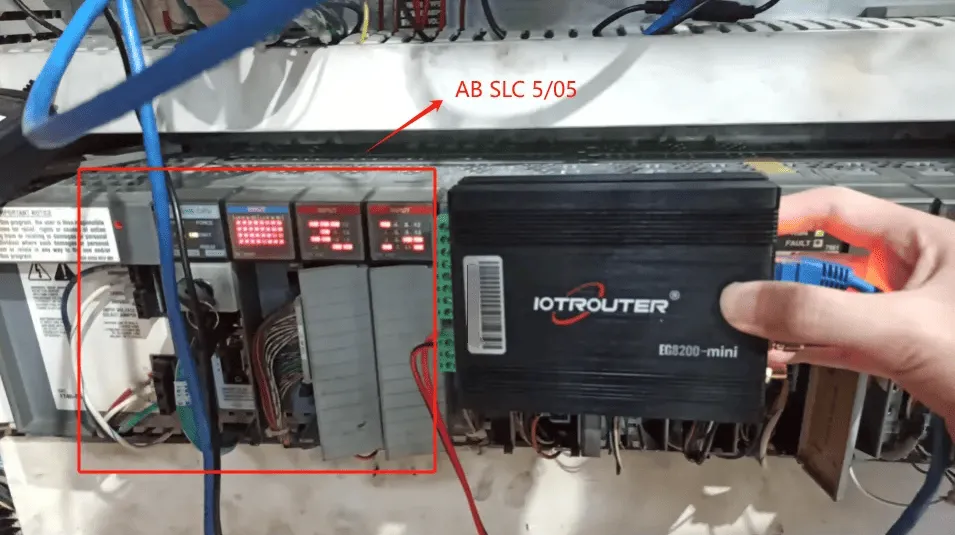
Compatible PLC: AB SLC 5/05
The PCCC protocol utilizes Ethernet communication. Therefore, simply ensure the gateway’s LAN port and the AB PLC’s IP address are within the same subnet.
2. Parâmetros de comunicação do PLC
2.1. Ethernet Parameter Settings
Provided by PLC Engineer
3. Definições da porta de entrada
3.1. Definições de ligação do PLC
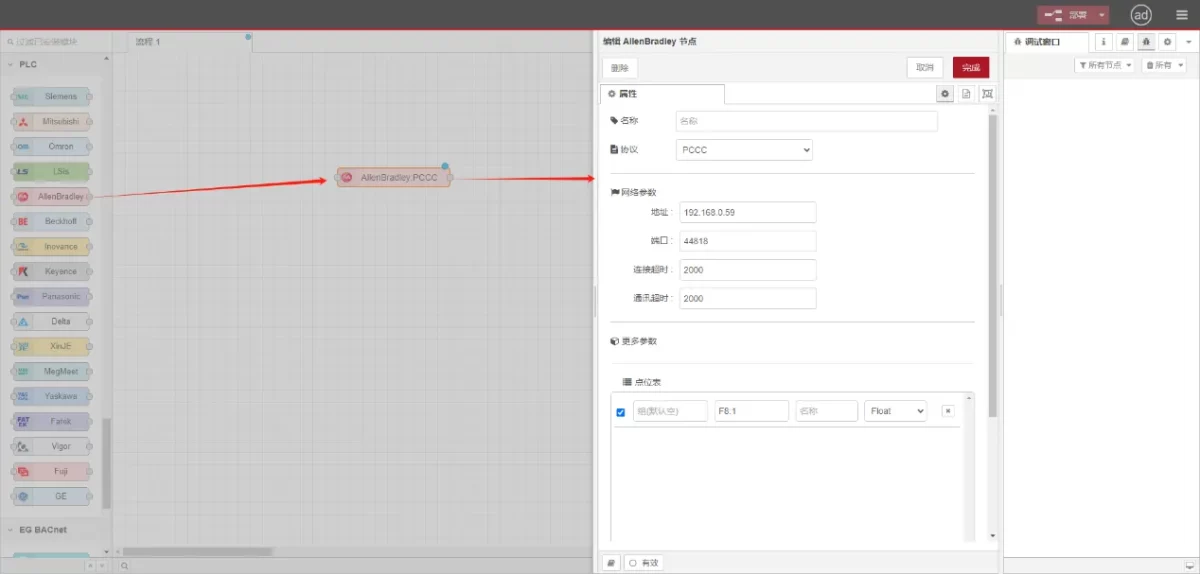
Drag an AllenBradley node from the left panel, double-click to open the settings page, and configure as follows based on the PLC’s network port parameters:
Protocolo: Select PCCC
Endereço: Introduzir o endereço do PLC (por exemplo, 192.168.0.59)
Porto: Enter the PLC connection port (e.g., 44818)
Tempo limite de ligação: 2000
Tempo limite de comunicação: 2000
3.2. Configuração do ponto de dados
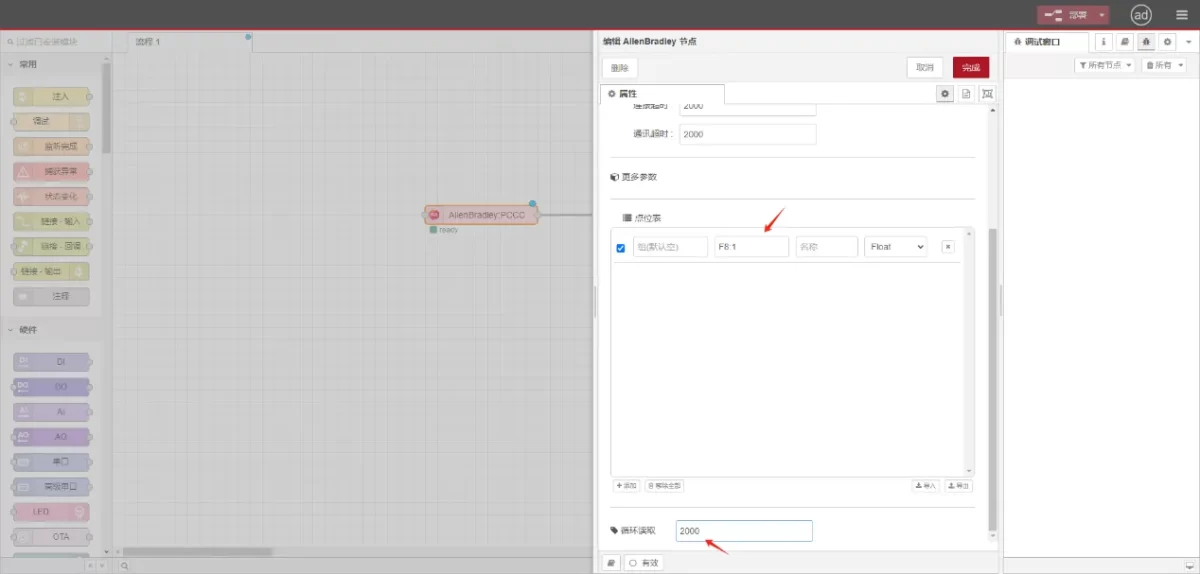
Enter the data points to be read into the parameter list of the Allen-Bradley node. Once configured, the PLC data will be automatically retrieved at the specified frequency.
Os pontos de dados são normalmente fornecidos por engenheiros de PLC. Ao receber a lista de pontos, preencha os pontos de dados de acordo com o formato exigido pelo gateway. Para obter detalhes específicos de mapeamento, consulte:
Esta secção contém conteúdo de Yueque. Clique na ligação para ver:(Pode utilizar o Google Chrome para traduzir) https://iotrouter.yuque.com/zn3vdn/eg8000/tcxbmwqbg7k7f5ah
This example reads data from address F8:1. In the parameter list, enter the address/name/data type/data length sequentially. The data is read cyclically every 2 seconds, as shown in the figure:
3.3. Ensaios
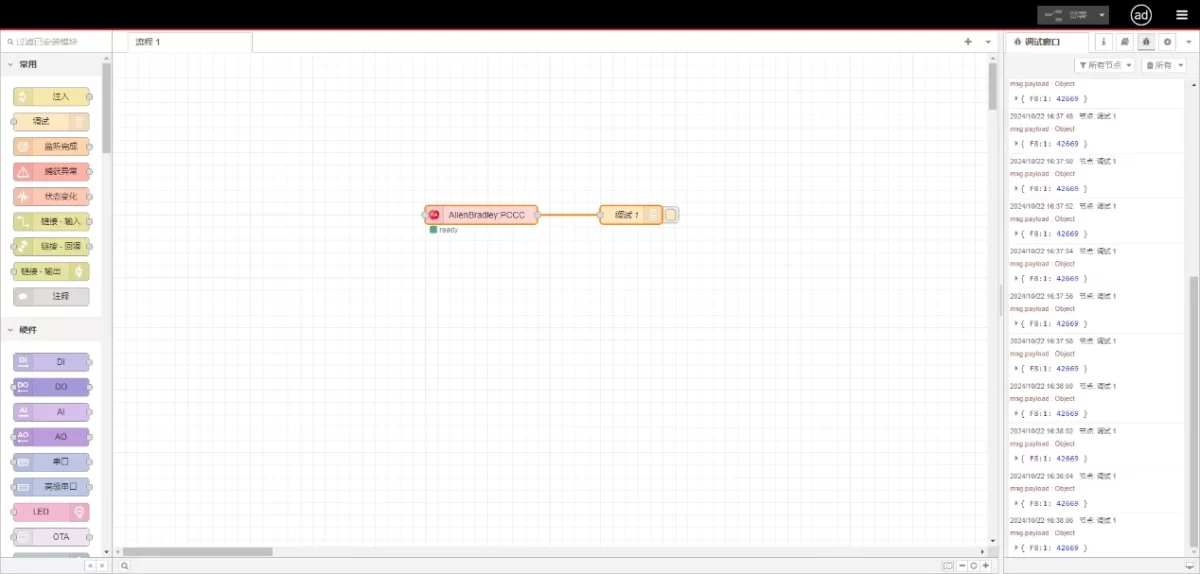
Connect to the debugging node, click Deploy, and observe that a data point is printed every 2 seconds. The read data point result is:
{F8:1:42669}. Communication successful!