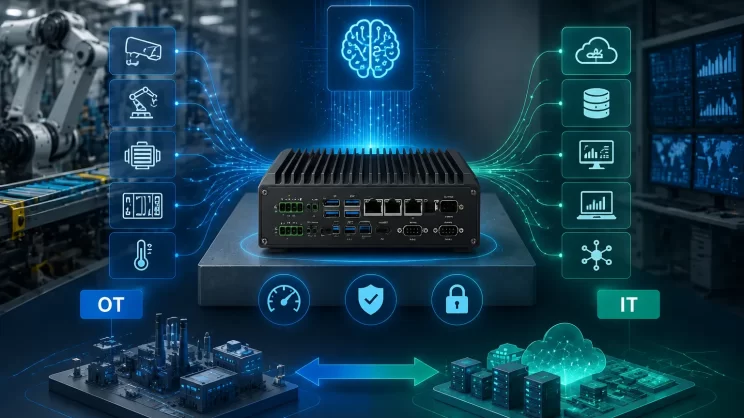
Choosing an industrial computer usually starts with a software and deployment problem, not a CPU selection problem. A faster CPU does not help if the required driver, protocol, or software environment is not supported.
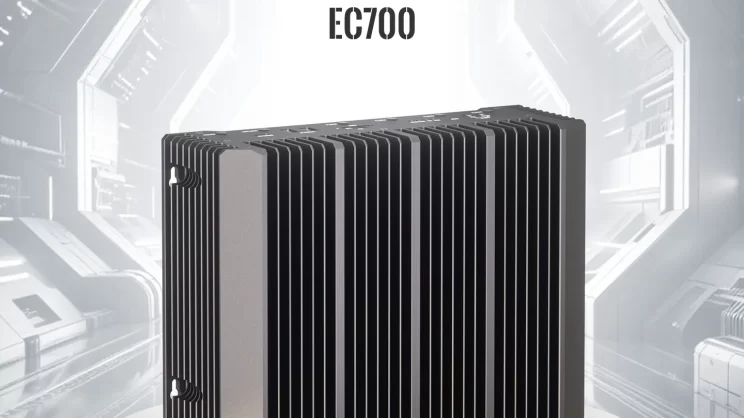
Platforms such as RK3588J represent a new generation of ARM edge computers designed for industrial AI inference, automation, and edge computing. Products such as the IOTRouter EC700 are examples of this trend.
This article explains when an ARM edge computer is the right fit, and when x86 remains the better choice. The dividing line is the software stack and workload ceiling on site — not the processor name.
60-Second Quick Answer
| Your application looks like this | Recommendation | Why |
|---|---|---|
| Need local vision processing and video analytics | ARM industrial PC, e.g. EC700 | Lower bandwidth demand and integrated AI acceleration |
| Need lightweight to medium edge AI inference models | ARM industrial PC | Data stays on-premises; NPU accelerates inference |
| Mainly protocol acquisition, data filtering, MQTT reporting | ARM industrial PC | Sufficient compute and lower power |
| Run Docker containers and Node-RED flows | ARM industrial PC | arm64 containers and pre-installed tools |
| Software or drivers only available in Windows | x86 industrial PC | Native Windows support; no emulation risk |
| Need PCIe slots for GPU or frame grabber cards | x86 industrial PC | Broader PCIe expansion and driver ecosystem |
| Need CAN interface or −40 to 85 °C wide-temperature operation | ARM industrial PC, e.g. EC301 | Integrated CAN and wide-temperature design |
Why ARM Industrial PCs Are Becoming More Capable
The old impression was that ARM handled lightweight tasks while x86 did the heavy lifting. With platforms such as RK3588J, the gap between ARM and x86 in some edge computing scenarios has become smaller.
This SoC integrates 4× Cortex-A76 and 4× Cortex-A55 cores with an NPU. Properly designed industrial computers based on this platform can achieve fanless operation for long-term deployments while handling local visual inference, video analytics, and local deployment of selected AI models. These capabilities allow more processing tasks to move closer to the equipment side:
-
Vision inspection. Run defect detection, dimensional measurement, and OCR locally without backhauling all video streams.
-
Local inference. Run local AI models on your own network, keeping data on-premises.
-
Beyond protocol conversion. Acquire PLC data while performing lightweight analysis, then upload results.
However, two practical limitations still need to be considered. Software binary dependencies: SCADA clients available only as x86 installers, machine vision libraries adapted only for Windows, and frame grabbers providing only x64 kernel modules — these have nothing to do with compute strength. PCIe expansion: when inserting discrete GPUs, multi-channel frame grabbers, or fieldbus master cards, x86 industrial platforms often provide broader PCIe expansion options and driver support.
Power consumption, interface density, and resistance to dust and vibration remain important advantages of ARM-based designs, but software compatibility has become an equally important selection factor. The key question remains: what software must actually run on this device in the field?
ARM vs x86: Four Key Selection Dimensions
| Dimension | ARM-Industrie-PC | x86 Industrial PC | Selection Criteria |
|---|---|---|---|
| Software compatibility | Embedded Linux, arm64 applications, containers, and cross-compilation are common | Broad coverage of Windows, x86 Linux, and traditional PC software | Determined by target software and drivers |
| Compute workload | Suited for acquisition, protocol conversion, lightweight services, edge rules | Suited for large databases, compilation, complex vision, multi-application concurrency | Do not compare only core count and clock speed |
| AI capability | Some SoCs include NPUs; adapted models are efficient | CPU, GPU, or accelerator cards available; broader model ecosystem | Must be tested with actual models, frame rates, and precision |
| Industrial interfaces | Often integrates RS-485, CAN, DI/DO, and cellular communication | Varies widely by model; may rely on expansion cards | Even with high compute, insufficient interfaces require additional hardware |
When to Choose ARM, When to Choose x86
ARM is often a better fit for:
-
PLC data acquisition and retrofit projects
-
MQTT gateways and edge caching
-
Node-RED / NeuronEX based workflows
-
Local lightweight AI inference
-
Distributed deployments requiring remote maintenance
The common thread is many interfaces, stable workloads, and minimal attention after startup. If retraining, report generation, and historical data analysis go to the cloud, an x86-class platform may not provide significant benefits for this type of workload.
Still need x86: Existing software requires Windows or an x86 runtime environment; PCIe expansion for GPU or frame grabbers is needed; running large SCADA or full MES clients; deploying heavier databases on site, or multiple virtualization services in parallel; high-frame-rate multi-camera workstations primarily using traditional vision algorithms; licensed software relying on x64 kernel modules or dongle drivers.
In these cases, compatibility layers on ARM shift debugging time to the site. Running and maintaining long-term are two different things.
A Common Mistake in Industrial PC Selection
One common mistake is selecting hardware by CPU performance alone. In many retrofit projects, the real limitations come from protocol compatibility, interfaces, and remote maintenance.
For projects choosing an ARM-based industrial computer, the next step is matching interfaces, temperature range, and AI requirements with the right hardware platform. The IOTRouter EC series is organized around these decision factors.
Example: Choosing the Right IOTRouter Edge Computer
The following is not a performance ranking. Each model targets a different industrial requirement. The trade-off is between connectivity requirements and computing capability.
| Modell | Main Advantage | Typische Anwendungen |
|---|---|---|
| EC100 | Open Linux edge computing and industrial connectivity | Basic gateway and edge computing |
| EC301 | CAN + wide-temperature operation | Industrial control, vehicle equipment |
| EC500 | Analog I/O | Automation monitoring |
| EC700 | AI acceleration | Vision, local AI, edge inference |
EC301 has dual CAN and supports 9–36V wide voltage and wide-temperature operation; EC500 adds analog input and output; EC700 raises compute, at the cost of no CAN or analog I/O and a −20 to 70 °C temperature range. I/O within the same series is not backward compatible — use the interface list to eliminate models first, then look at compute.
EC700 Key Specifications
The following specifications are the parameters that usually affect industrial deployment decisions.
| Item | Parameter |
|---|---|
| CPU | RK3588J, 4×Cortex-A76 + 4×Cortex-A55 |
| NPU | 6 TOPS onboard NPU, with optional M.2 AI accelerator expansion for higher AI workloads |
| Memory / Storage | 8GB RAM, 128GB eMMC |
| OS / Software | Embedded Linux with SDK, Docker support, pre-installed Node-RED and NeuronEX |
| Industrial connectivity | RS-485×2, RS-232×1, DI×1, DO×2, Dual Ethernet interfaces (Gigabit + Ethernet), optional 4G/5G and Wi-Fi |
| Betriebstemperatur | −20 to 70 °C |
The EC700 supports local AI model deployment and evaluation under optimized configurations. Actual performance depends on model architecture, quantization, and runtime optimization.
What Engineers Usually Verify Before Deployment
-
If the software is fixed and interfaces are known, select the platform first.
-
If AI workload is growing, validate the model before hardware selection.
-
If hundreds of devices will be deployed, remote maintenance matters as much as compute.
These rules often matter more than raw TOPS or core count.
In industrial applications, the best computer is not always the one with the highest performance. It is the one that matches the software, interfaces, environment, and maintenance requirements of the site.
FAQ
Does TOPS equal AI performance?
No. Actual performance depends on model architecture, quantization, runtime, and accelerator support. TOPS is only a theoretical peak and does not directly translate to frame rate or latency.
Can an ARM industrial PC run Docker?
Yes, provided the image has an arm64 version and memory, storage, and peripheral permissions have been verified. For multi-platform image practices, refer to the Docker official documentation (Docker Inc.).
Is RK3588J suitable as an alternative to NVIDIA Jetson?
It depends on whether you rely on CUDA. If not dependent on the CUDA ecosystem, RK3588J has advantages in power, cost, and fanless deployment. If you depend on CUDA operators or compute demand is still growing, continue evaluating Jetson or GPU solutions.
Is ARM industrial PC always more power-efficient than x86?
Not necessarily. ARM is easier to design for low power, but complete machine power consumption also depends on the SoC, memory, wireless modules, peripherals, and load factor. Only full-load measured values are meaningful for comparison.