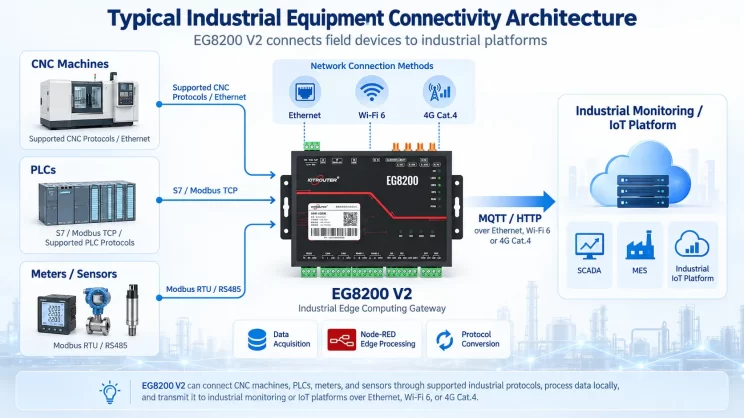
Bottom line up front: Get one IOTRouter EG8200Mini 4G gateway, sign up for an IOTClient account, and you have a remote device maintenance platform. No coding, no public IP needed.
The problem: devices everywhere, engineers on the road all day
A water company runs 30+ pump stations spread across different towns and rural areas. The closest station is 8 km away, while the farthest one is 60 km away. Every time they need to change a PLC setting, an engineer has to drive out. A round trip takes 4 hours. Doing this more than ten times a month creates significant maintenance costs and inefficiency.
This kind of situation isn’t rare. Many devices are spread out, with limited IT support and no public IP address available. When something breaks, the only answer is sending someone on site.
What we used: one gateway + one cloud platform
You need two things: hardware and software. For hardware, we chose the IOTRouter EG8200Mini 4G edge gateway. Here are the main specs:
| Artigo | Especificação |
|---|---|
| Processador | 2‑core Cortex‑A7 @1.2GHz |
| Memory / Storage | 512MB RAM / 512MB eMMC |
| Serial Interfaces | RS485×2 + RS232×1 |
| Sem fios | 4G CAT1 + Ethernet + Wi‑Fi |
| Tensão de funcionamento | DC 9~36V wide range |
| Gama de temperaturas | -40~85℃ |
| EMC | ESD L3 ±8KV / Surge L2 ±1KV |
| Certificação | CE |
For software, we use IOTClient – the web version. Just open bridge.iotrouter.com in any browser. No need to install anything; it works on Windows, Mac, and Linux. That’s all you need – no extra servers or local infrastructure. If you’re new to the platform, see our step-by-step guide to using IOTClient for industrial gateway remote management.
How do you actually build this remote device maintenance platform? Let’s walk through it step by step.
How it’s set up – three parts:
-
On-site: The EG8200Mini connects to PLCs and serial devices through RS485/RS232/Ethernet.
-
Rede: The gateway uses 4G CAT1 to connect to the cloud.
-
Platform: IOTClient handles remote configuration, remote programming, remote dashboards, and NAT traversal.
Two common questions, answered straight away.
Can you access devices remotely without a public IP? Yes. The EG8200Mini has built-in NAT traversal and P2P direct connection. Even if the device is behind carrier-grade NAT (CGNAT) or a company firewall, you can still reach it. No need to set up port forwarding on your router – data is transmitted through encrypted point-to-point communication, without requiring cloud data forwarding.
Can you change PLC programs remotely? Yes. The gateway gives you virtual network ports and virtual serial ports. From IOTClient, click “remote programming” – you can upload or download PLC programs, debug serial devices, and the experience is similar to being connected directly on site.
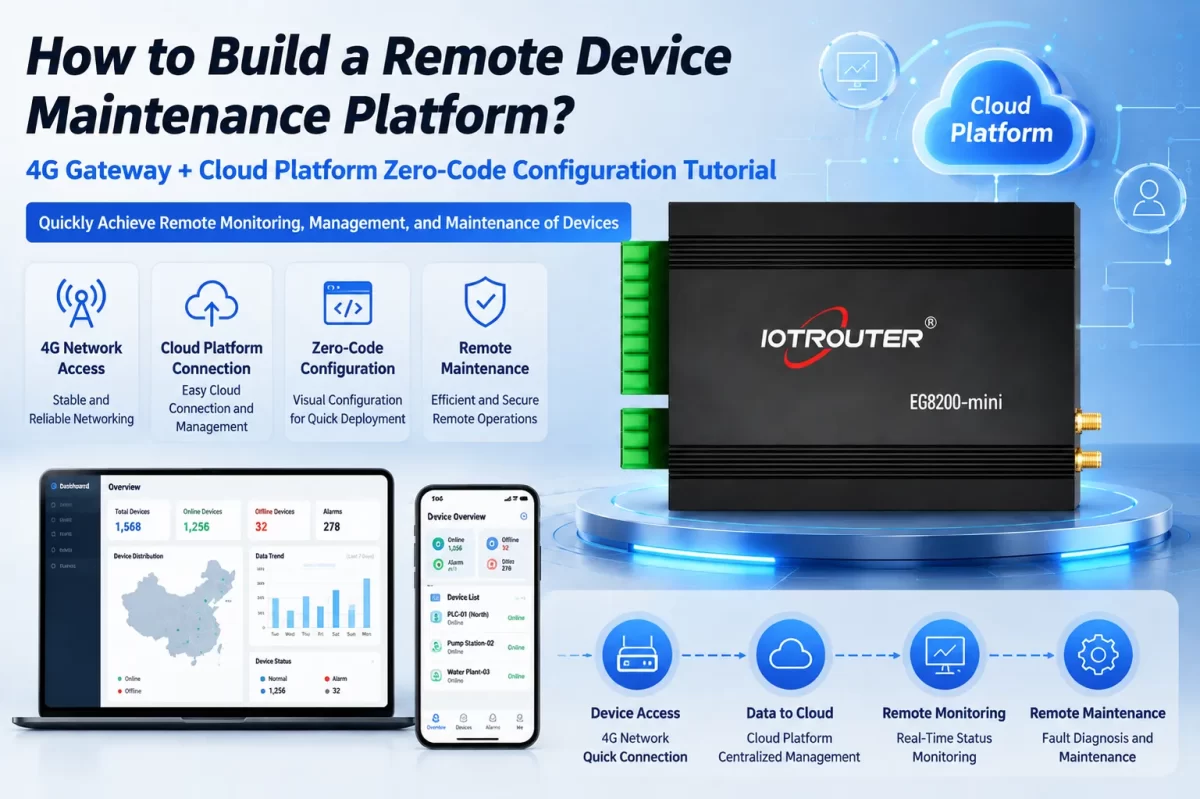
Key setup: five steps, no code needed
- Connect the wires. Plug the EG8200Mini’s RS485 to the PLC’s 485 port – A to A, B to B. Or use an Ethernet cable if that’s easier. Insert a 4G SIM card and power on the device.
- Log in. Open bridge.iotrouter.com in a browser, create an account, and sign in.
- Add the gateway. On the platform, enter the device’s SN – the gateway will automatically come online.
- Set up data collection. Go to the gateway’s admin page, open Node‑RED, drag and drop nodes, connect them, and set the protocol parameters. Supported protocols: Siemens S7/PPI, Mitsubishi MC/FxLinks, Omron Fins/HostLink, Rockwell EtherNet/IP, Inovance Modbus, Beckhoff ADS, Delta, Xinje, plus Modbus RTU/TCP, OPC UA, and MQTT. You never write a single line of code.
- Start remote maintenance. Back in IOTClient, click “remote configuration” or “remote programming” – it creates an encrypted tunnel, allowing you to access and maintain the equipment remotely.
A few things to watch out for
-
What if the network drops? Will I lose data?
No. The EG8200Mini has a built‑in InfluxDB time‑series database for local storage. If the network goes down, data stays on the gateway; when the connection comes back, it automatically sends everything.
-
How do permissions work?
IOTClient has three levels – administrator, operator, and user – and you can group devices by project.
-
Can it handle tough environments?
Yes, it’s industrial‑grade, works from -40°C to 85°C, and has ESD L3 ±8KV and surge L2 ±1KV – so it’s built to last.
FAQ
Q1: What hardware and software do I need to build a remote device maintenance platform?
One IOTRouter EG8200Mini gateway plus IOTClient web edition. No extra servers required.
Q2: How does the 4G gateway connect to the cloud?
Follow the five steps: wire it, log in, add the device, configure with Node‑RED, and start remote maintenance – all without coding.
Q3: Can I access devices without a public IP?
Yes – NAT traversal and P2P direct connection, no port mapping needed, encrypted point‑to‑point.
Q4: Can I modify and download PLC programs remotely?
Yes. Virtual Ethernet and virtual serial ports let you upload/download PLC programs and debug serial devices remotely.
Q5: Is data lost if the connection drops?
No – local cache with InfluxDB, and it auto‑retransmits when the network is back.
Wrapping up
For remote devices scattered everywhere, one EG8200Mini and one IOTClient account are all you need. Zero code, no public IP required, and no data loss. To get started, just open bridge.iotrouter.com and sign up. For product details, visit en.iotrouter.com.

Agnes Wang é especialista em soluções de IoT na IOTRouter, dedicando-se principalmente a gateways de IoT industrial, computação de ponta e soluções de automação industrial.
É especialista em tecnologias de comunicação industrial, incluindo Modbus, IEC 60870-5-104, MQTT, OPC UA, integração de PLC e aplicações de monitorização remota. Colabora na elaboração de artigos técnicos e guias de aplicação sobre soluções de IoT industrial, conversão de protocolos e computação na periferia.