Today, let’s talk about how to interface with Delta PLCs via Deltas Modbus ASCII protocol.
The article we discussed before:
How to interface with Omron PLC via EtherNet/IP protocol
How to interface with Omron PLC via Hostlink protocol
How to interface with Omron PLC via Fins protocol
How to integration with Mitsubishi PLC using the MC-1E protocol
1. Подключение оборудования
Compatible PLC: DVP Series
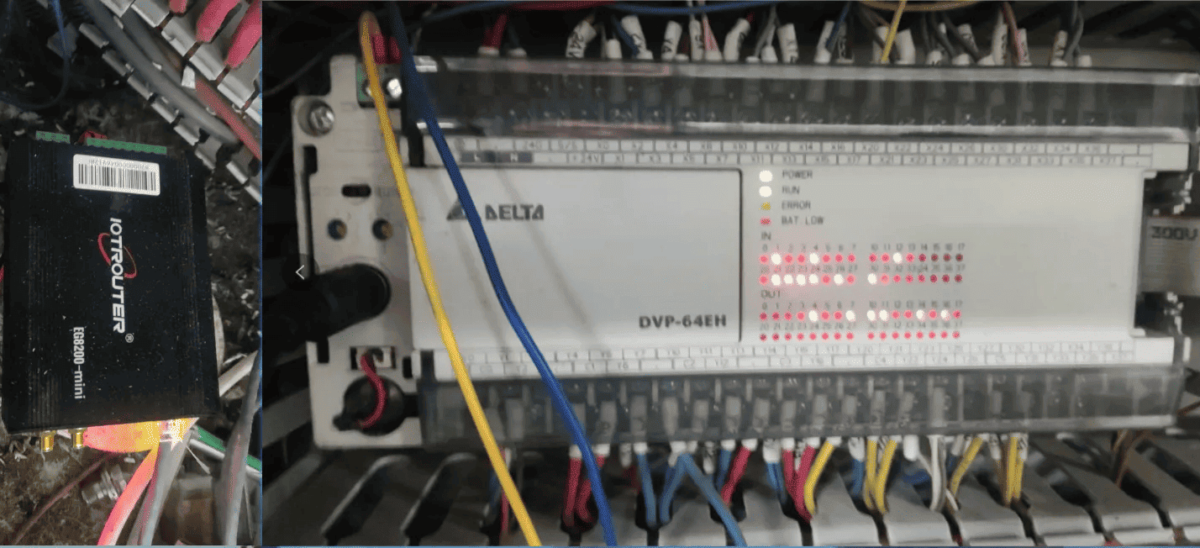
The Modbus ASCII protocol uses serial RS232 communication. In this example, the PLC model is DVP-64EH. Simply connect the PLC’s Tx to the gateway’s Rx, Rx to the gateway’s Tx, and GND to GND.
2. Параметры связи с ПЛК
Предоставляется инженером ПЛК.
The Delta PLC serial parameters are as follows:
Скорость передачи данных: 9600
Data bits: 7
Stop bits: 2
Parity: EVEN
3. Gateway Settings
3.1. PLC Connection Settings
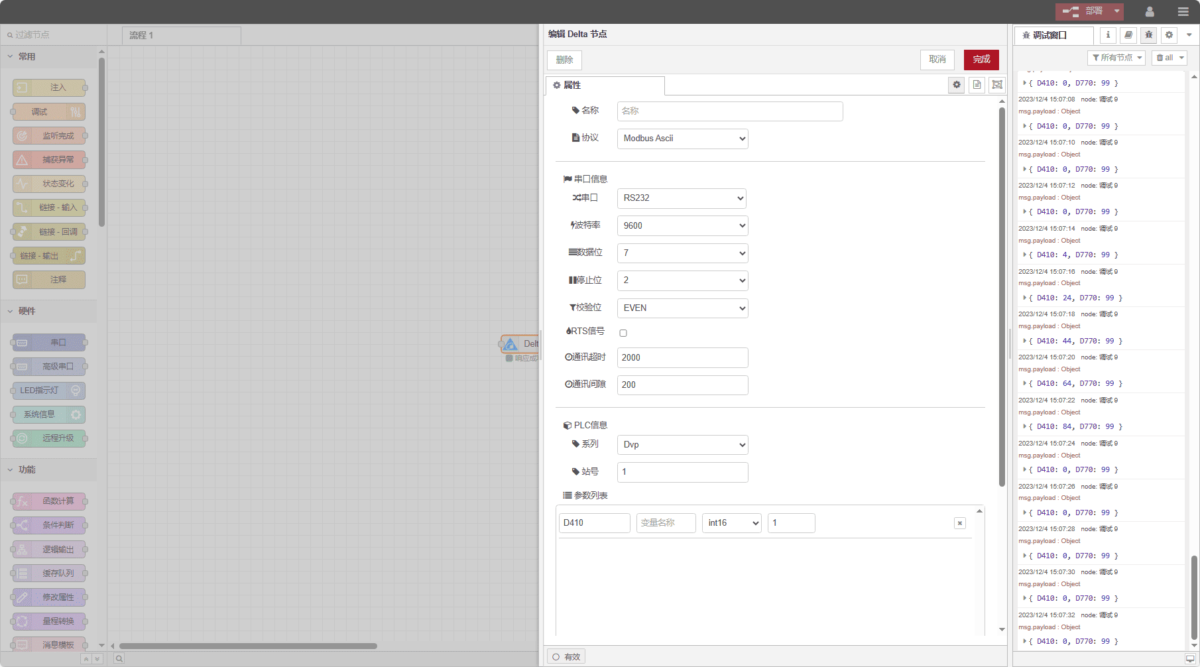
Drag a Delta node from the left and double-click to open the settings page. Fill in the configuration according to the PLC’s serial parameters as follows:
Протокол: Select Modbus ASCII
Serial port: Connect TX RX GND and select 232
Скорость передачи данных: 9600
Data bits: 7
Stop bits: 2
Parity: EVEN
Communication timeout: 2000
Series: DVP
Station number: 1
3.2. Data Point Settings
In the Delta node’s parameter list, fill in the data points to be read. After completing the data points, the PLC data will be read automatically at the set frequency.
Typically, the PLC engineer provides the data points. After receiving the point list, fill in the data points in the format required by the gateway. The specific correspondence can be referred to:
This is a Yuque content card. Click the link to view:(You can use Google Chrome for translation)
https://iotrouter.yuque.com/zn3vdn/eg8000/olpfq8b3ohyoetnd
This example reads data from addresses D410 and D710. In the parameter list, sequentially fill in Address/Name/Data Type/Data Length, and set the read frequency to 2 seconds, as shown in the figure:
3.3. Testing
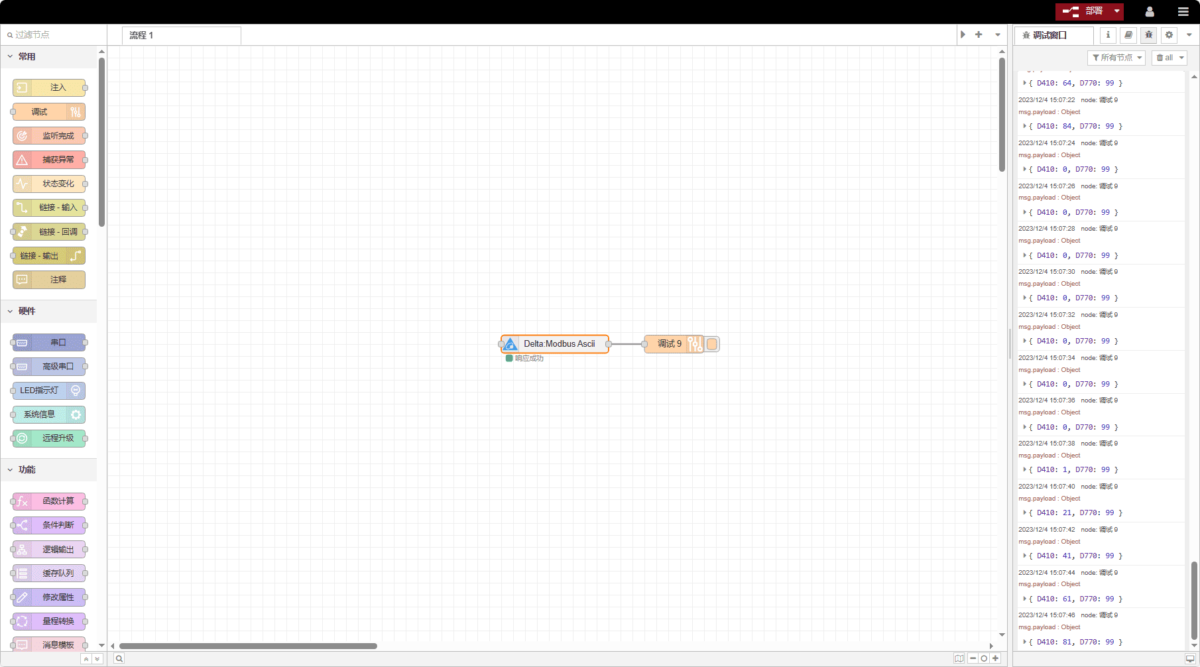
Click Deploy and observe that every 2 seconds, a data entry is printed. The data points read are: D410: 0, D770: 99. Communication successful!