This guide explains how to connect a GSK CNC to a CNC gateway using the EG8200Mini-CNC as an example. It provides a step-by-step overview of hardware connection, IP configuration, and recommended best practices.
- For examples of connecting other CNC brands to a gateway, please refer to our previous posts.
💡 Compatible CNC Models: 988TA, 980MDi, 980TDi (Serial 980TDC)
1. Подключение оборудования
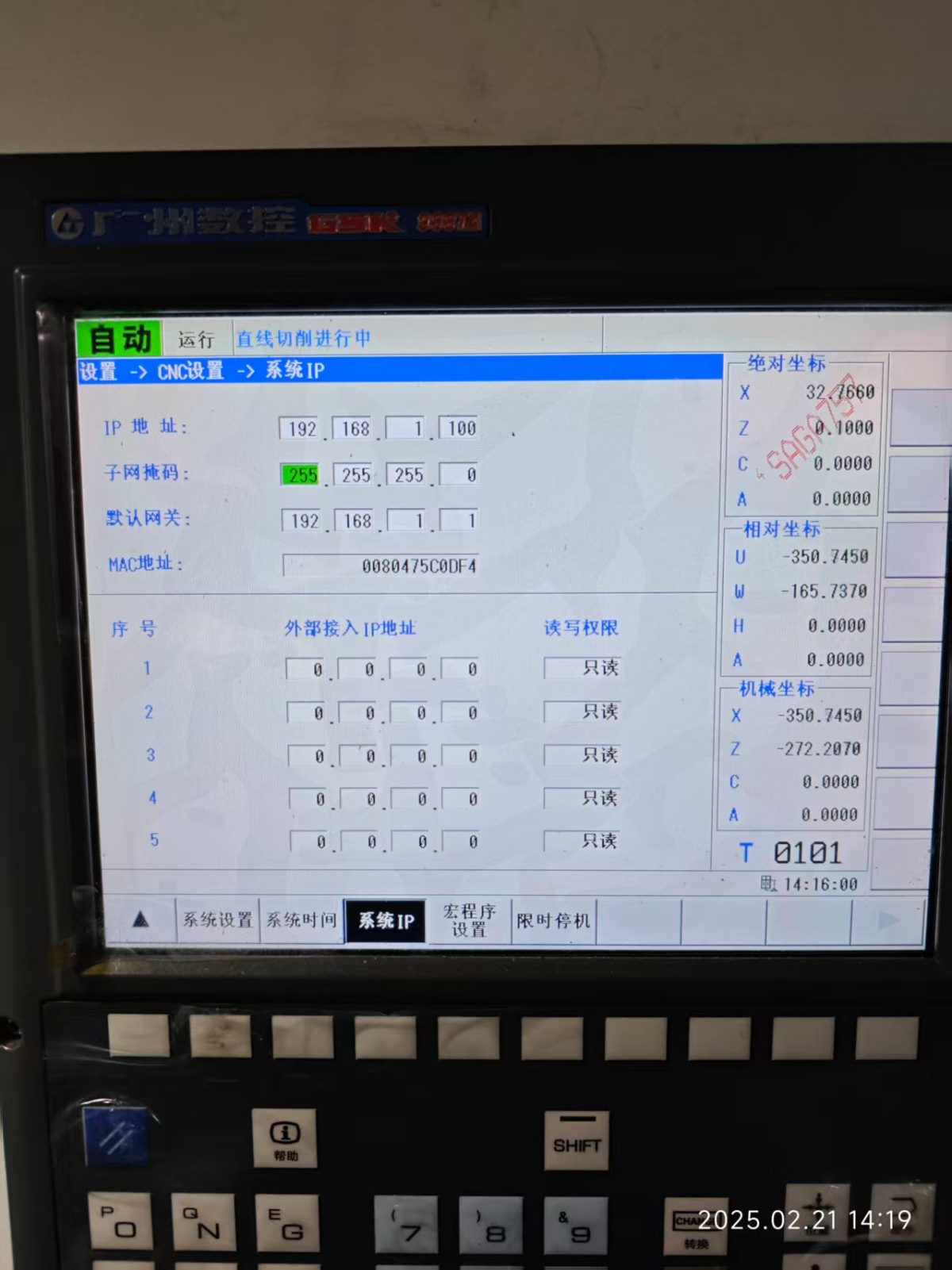
GSK CNC uses Ethernet communication. Therefore, it is only necessary to ensure that the LAN port IP of the gateway and the IP of the CNC are in the same subnet. (Note: In special cases, they do not need to be in the same subnet; routing must be configured. Please consult technical support for details.)
Example IP Address Allocation:
| Device | IP Address |
|---|---|
| EG8200Mini-CNC | 192.168.1.10 |
| GSK CNC | 192.168.1.100 |
2. CNC Communication Parameters
Provided by the CNC engineer.
For this example, the CNC Ethernet parameters are:
-
IP: 192.168.0.100
-
Порт: 502
-
Station ID: 01
3. Настройки шлюза
3.1 CNC Connection Configuration
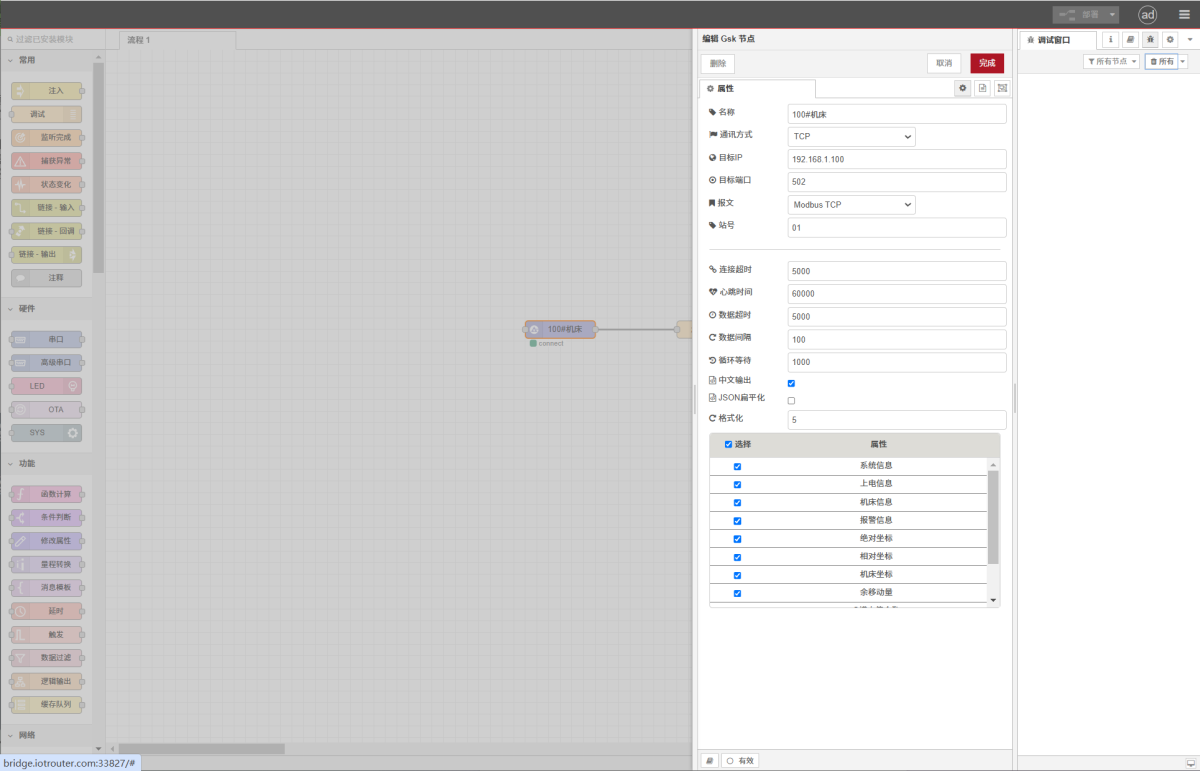
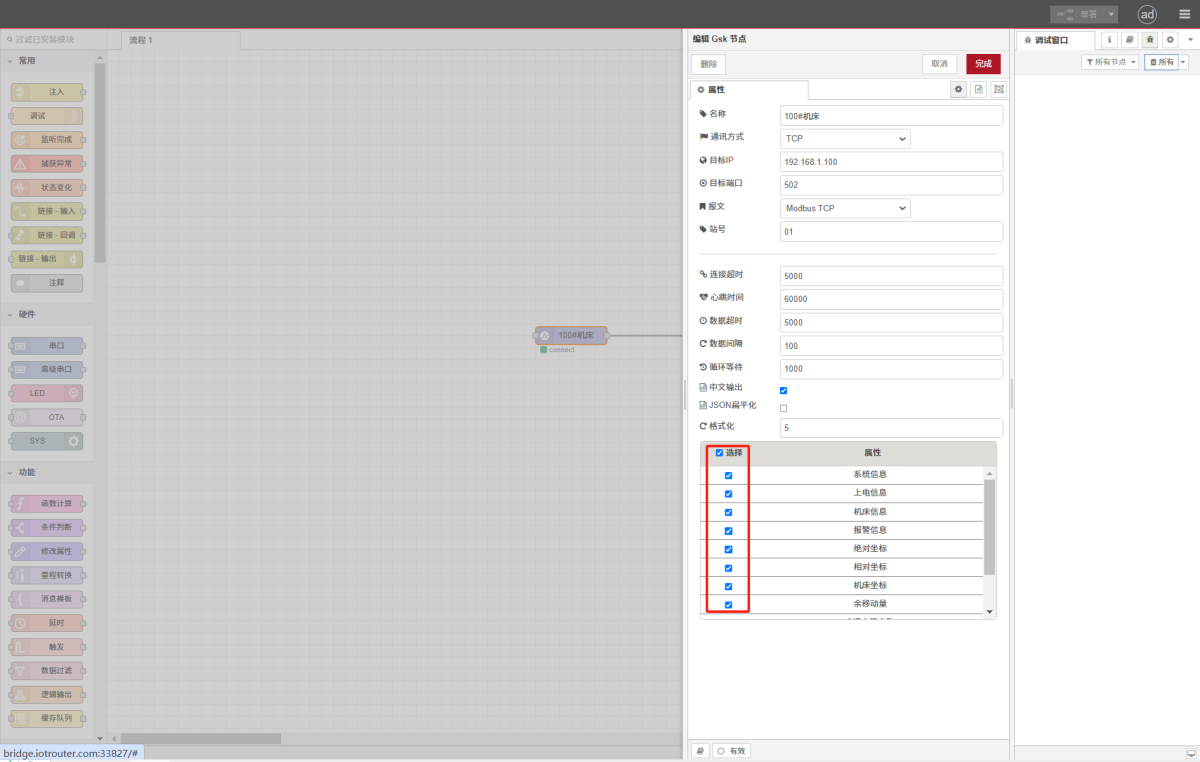
Drag a GSK node from the CNC panel on the left, double-click to open the settings page, and fill in the configuration according to the CNC parameters as follows:
Address: 192.168.0.100
Port: 502
Message: Modbus TCP
Station ID: 01
Connection Timeout: 5000
Heartbeat Time: 60000
Data Timeout: 5000
Data Interval: 100 (read cycle)
Loop Wait: 1000 (interval between data point reads)
3.2 Data Point Settings
Select the required data points:
3.3 Test
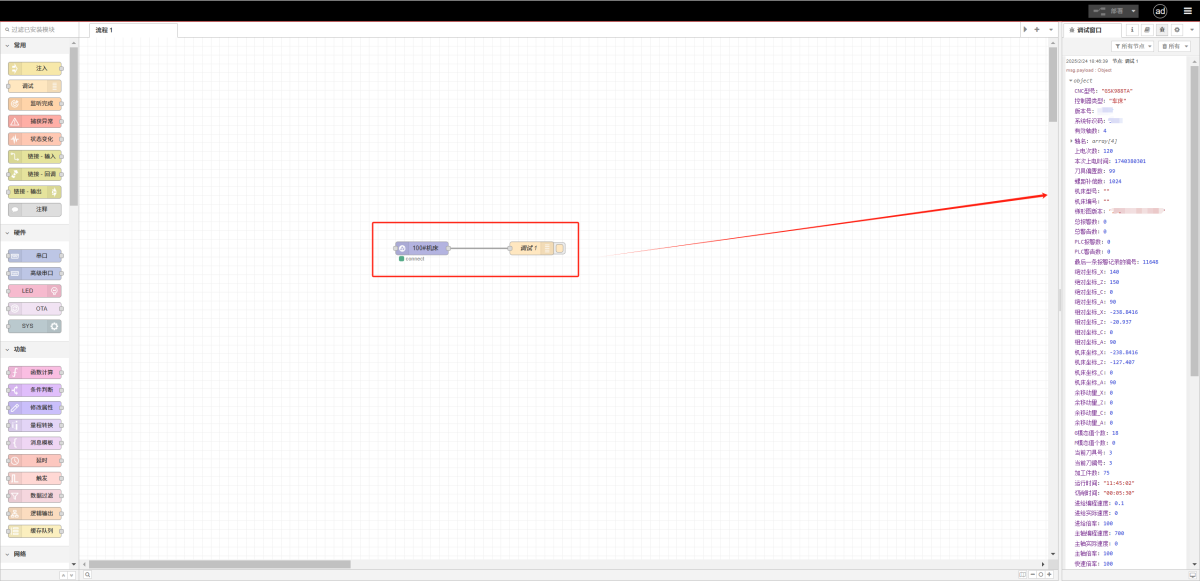
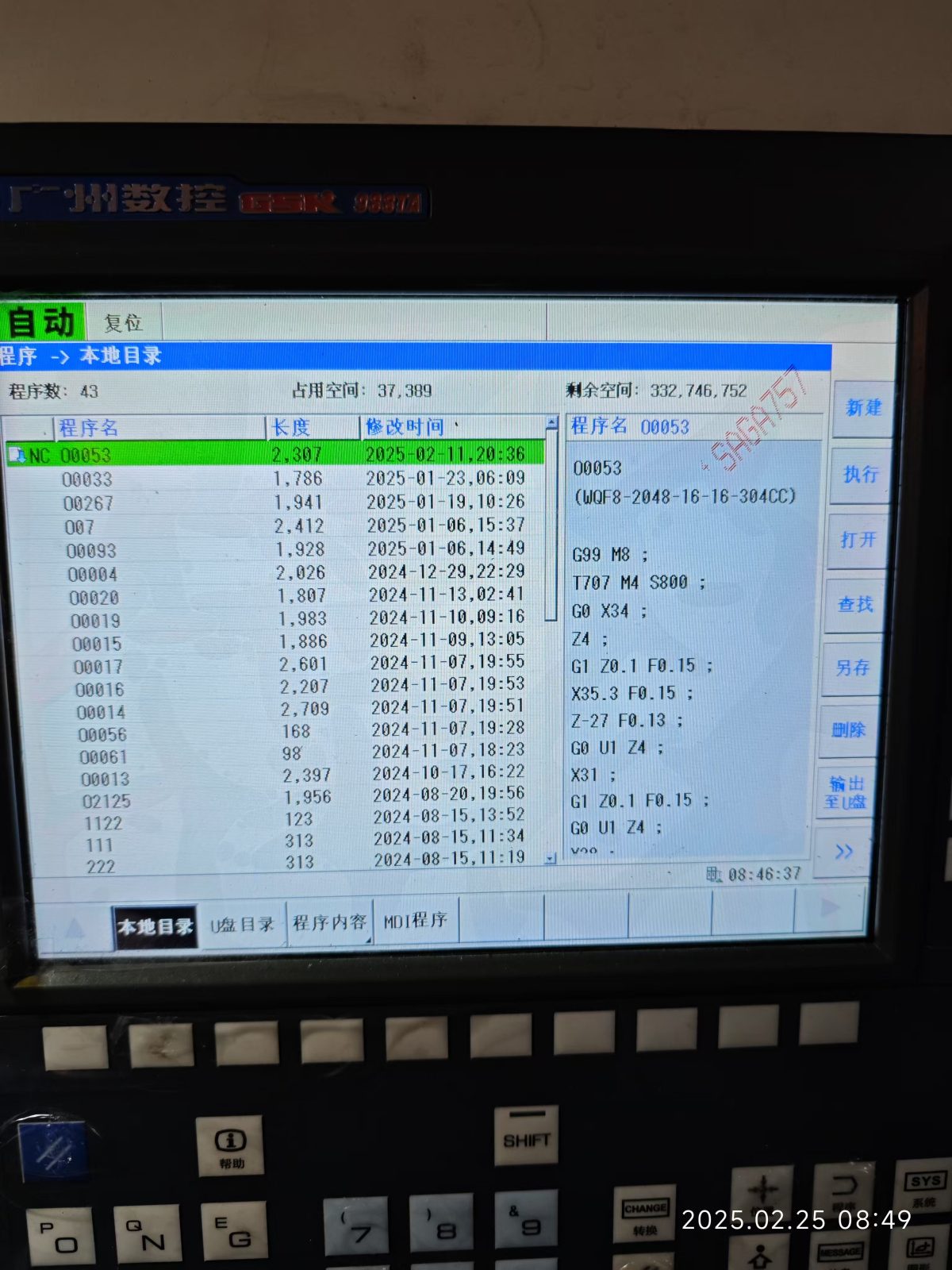
Нажмите Развернуть. Data will be printed every few seconds. Verify that the read data points match the actual values to confirm successful communication.
4. Additional Notes
Please refer to the data point reference table.