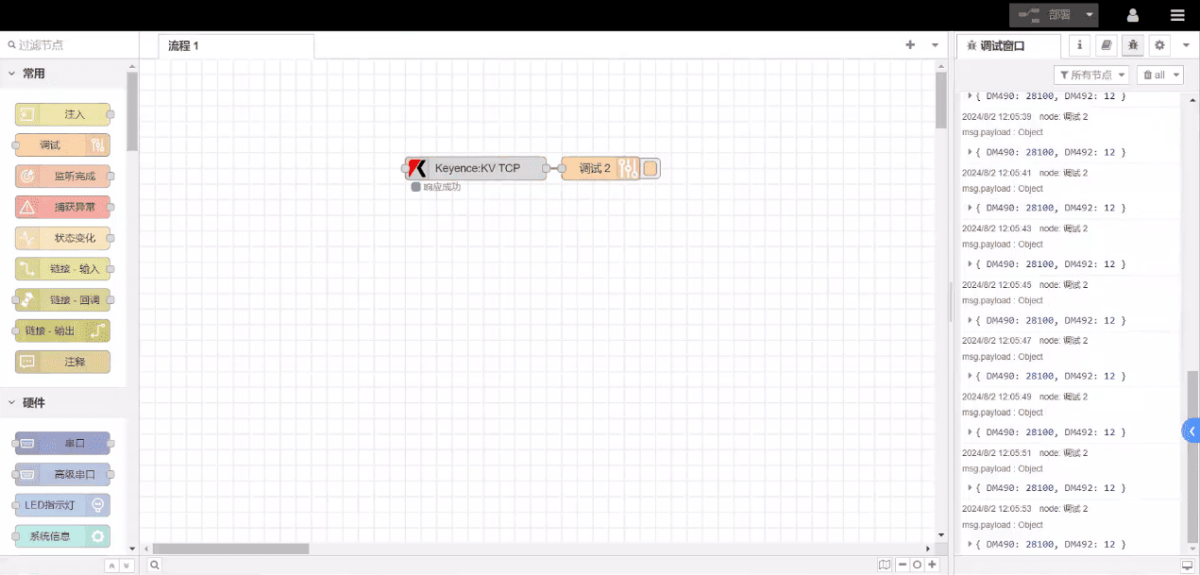
Today, let’s talk about how to interface the EG edge gateway with Keyence KV-7500 series PLCs via the KV TCPprotocol.
Het artikel dat we eerder bespraken:
Hoe EG edge computing gateway integreren met General Electric PLC
Integratie met Xinjie PLC via Modbus RTU-protocol
Interface met Keyence KV-8000 serie PLC's via het MC-3E protocol
Compatible PLC: KV-7500 Series
1. Hardwareverbinding
The KV TCP protocol utilizes Ethernet communication. Therefore, simply ensure the gateway’s LAN port and the Keyence PLC’s IP address are within the same subnet.
| EG8200Mini(LAN) | KV-7500 | |
| IP-adres | 192.168.0.88 | 192.168.0.10 |
2. PLC-communicatieparameters
IP:192.168.0.10
Haven: 8501
3. Gateway Configuration
3.1. PLC-verbindingsinstellingen
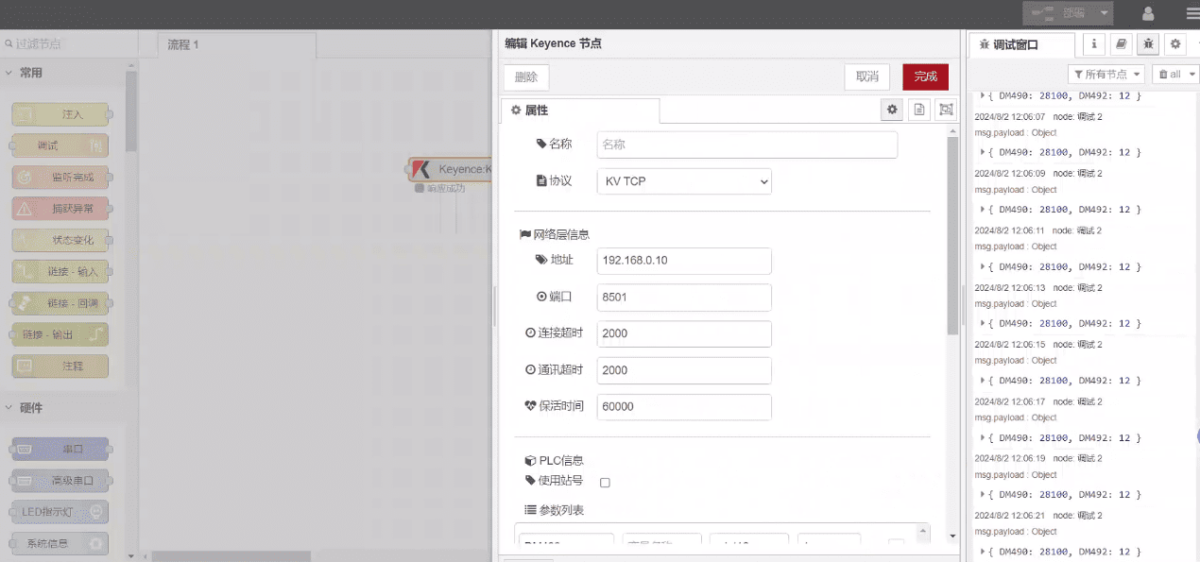
Sleep een Keyence-knooppunt vanuit het linkerpaneel, dubbelklik om de instellingenpagina te openen en configureer als volgt op basis van de communicatieparameters van de PLC:
Protocol: KV TCP
Netwerkpoort: Aangesloten op de LAN-poort van de gateway
Adres: 192.168.0.10
Haven: 8501
Time-out verbinding: 2000
Time-out communicatie: 2000
Keepalive-tijd: 60000
Station ID: 0
Do not use station ID
3.2. Configuratie gegevenspunt
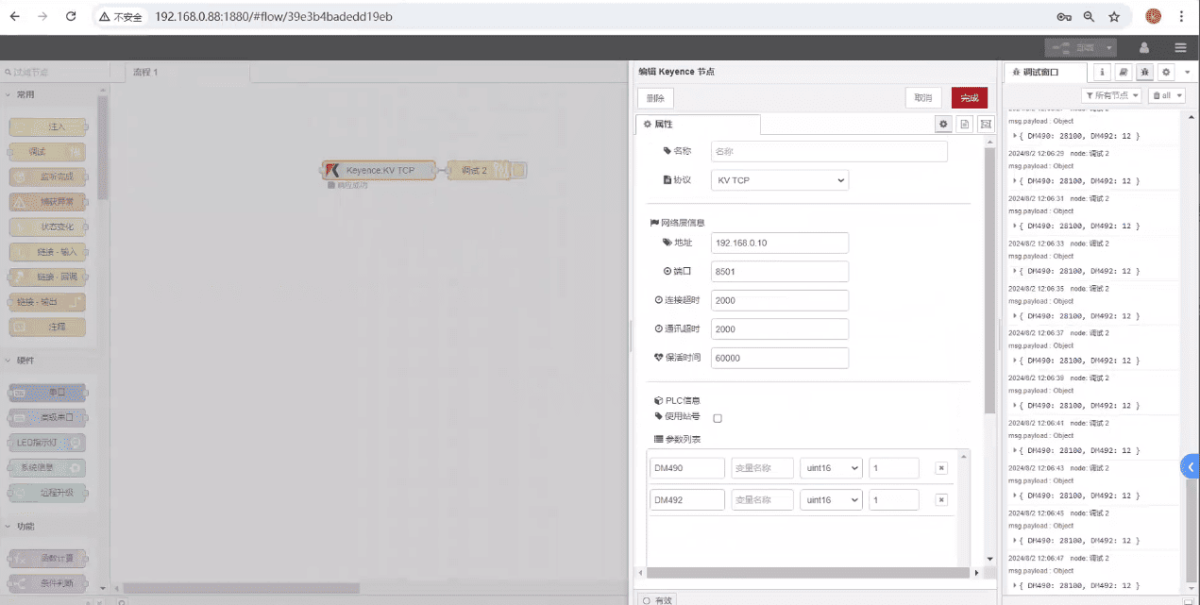
Voer de in te lezen gegevenspunten in de parameterlijst van het Keyence knooppunt in. Na de configuratie leest het knooppunt automatisch gegevens van de PLC met de opgegeven frequentie.
Datapunten worden meestal geleverd door PLC-engineers. Nadat u de puntenlijst hebt verkregen, vult u de gegevenspunten in volgens het vereiste formaat van de gateway. Raadpleeg voor specifieke details over de toewijzing:
Deze sectie bevat inhoud van Yuque. Klik op de link om te bekijken:(Je kunt Google Chrome gebruiken voor vertaling) https://iotrouter.yuque.com/zn3vdn/eg8000/wgvrbfp0ivzdod3h
This example reads data from addresses DM490 and DM492. In the parameter list, enter the address/name/data type/data length in sequence. Data is read cyclically every 2 seconds, as shown in the figure:
3.3. Testen
Click Deploy and observe that a data point is printed every 2 seconds. Verify that the data point name and corresponding value are returned—communication is successful!